Glucose tracking, with a little company.
Glucoscope shows your latest reading, trend and chart, keeps a logbook of insulin, food and notes, and tells you when you're running low. Gluco, a small cloud, keeps an eye on things with you.

Free to download.
iOS 17 and watchOS 10 or later.
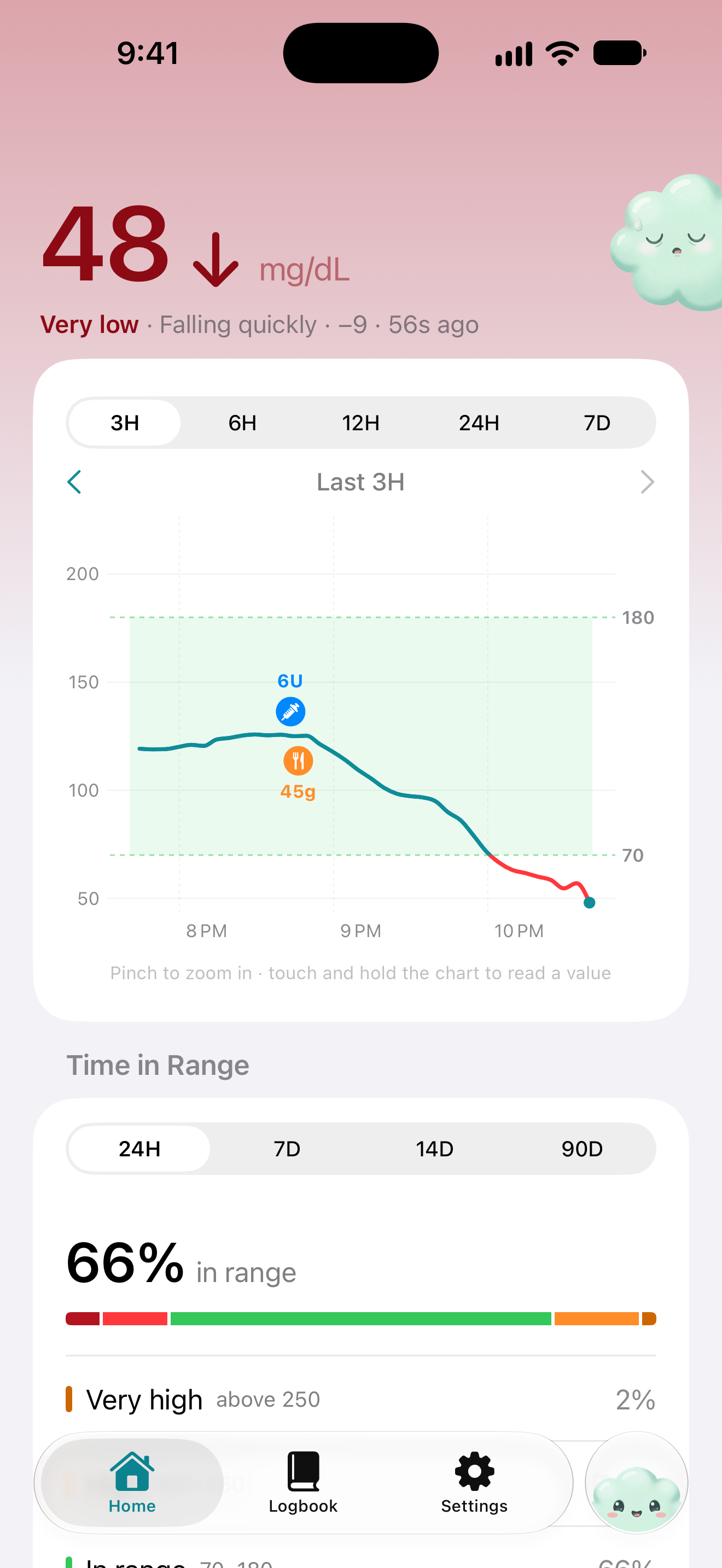
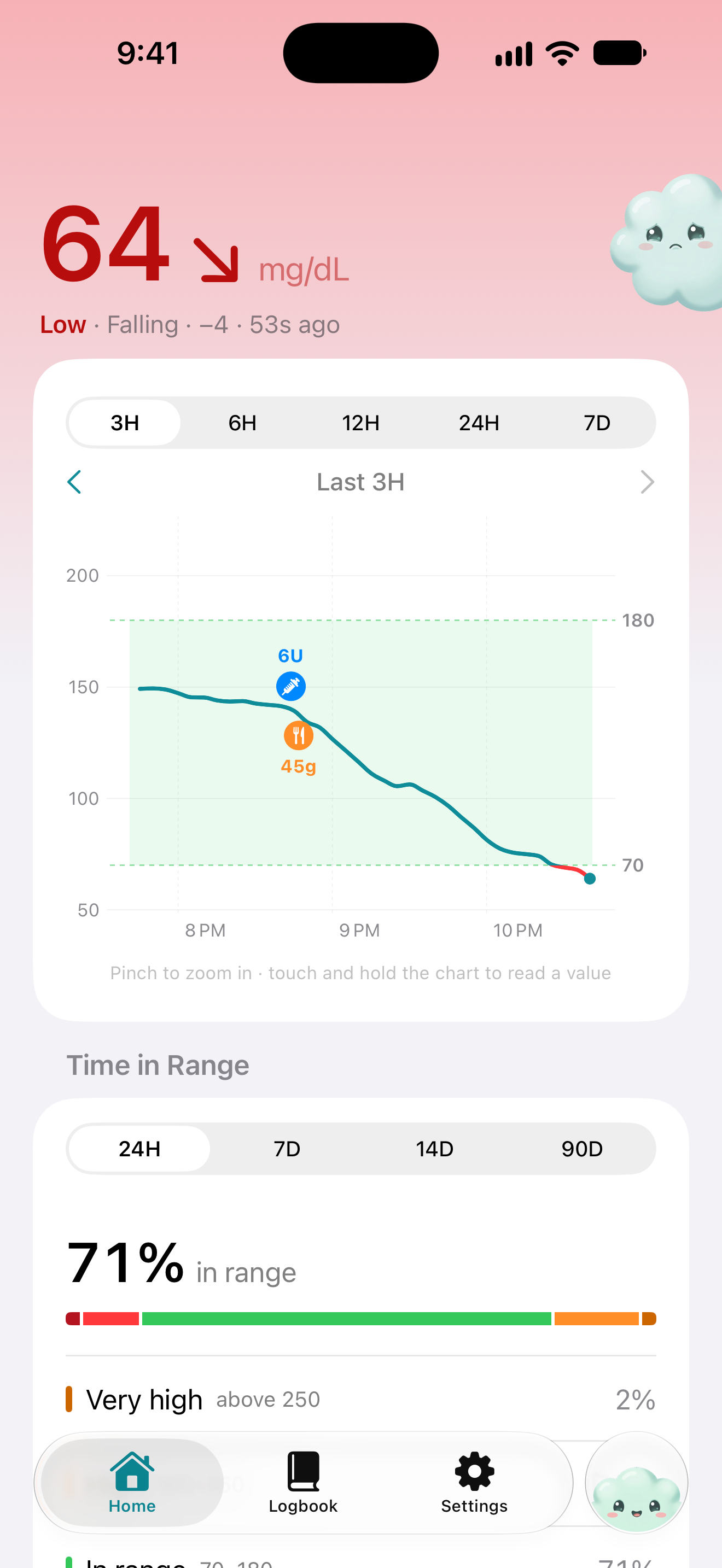
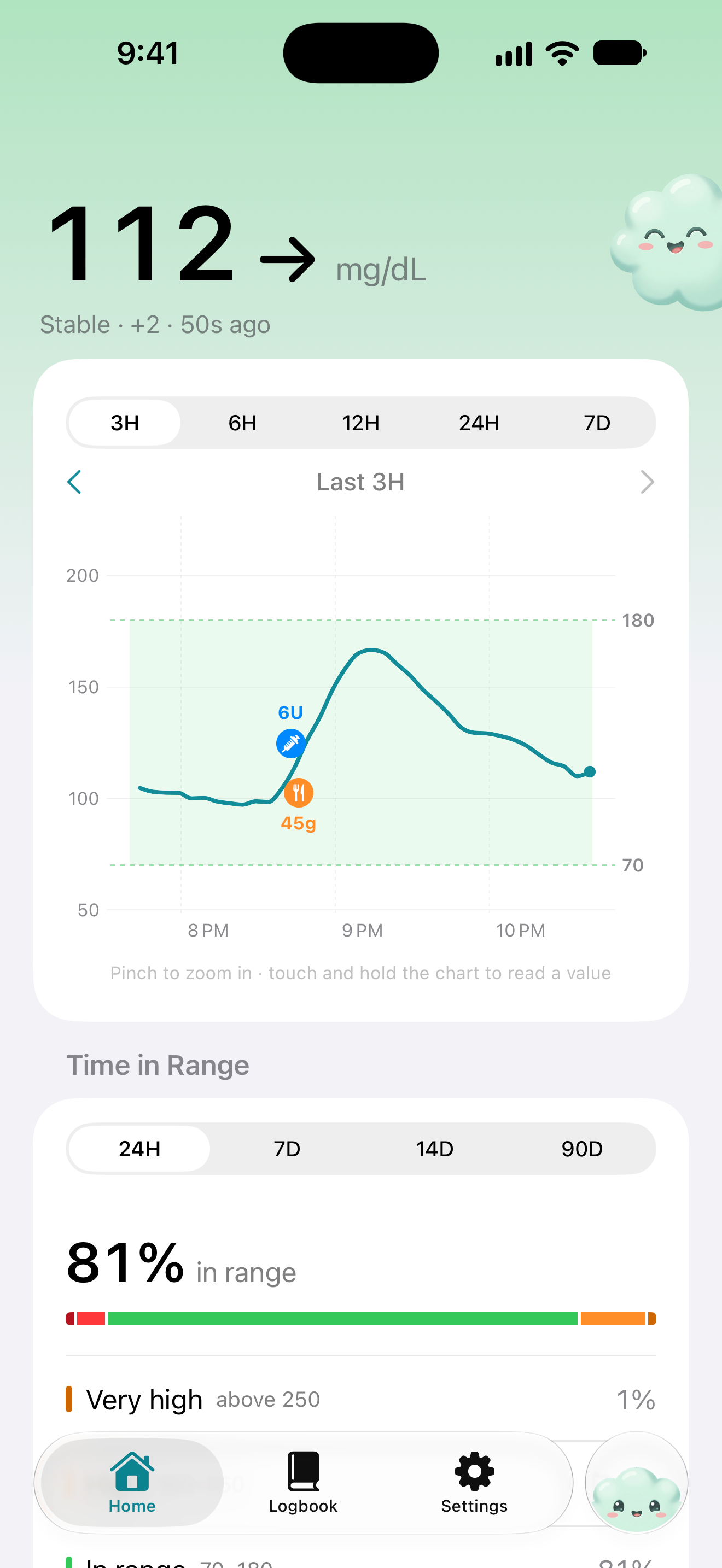
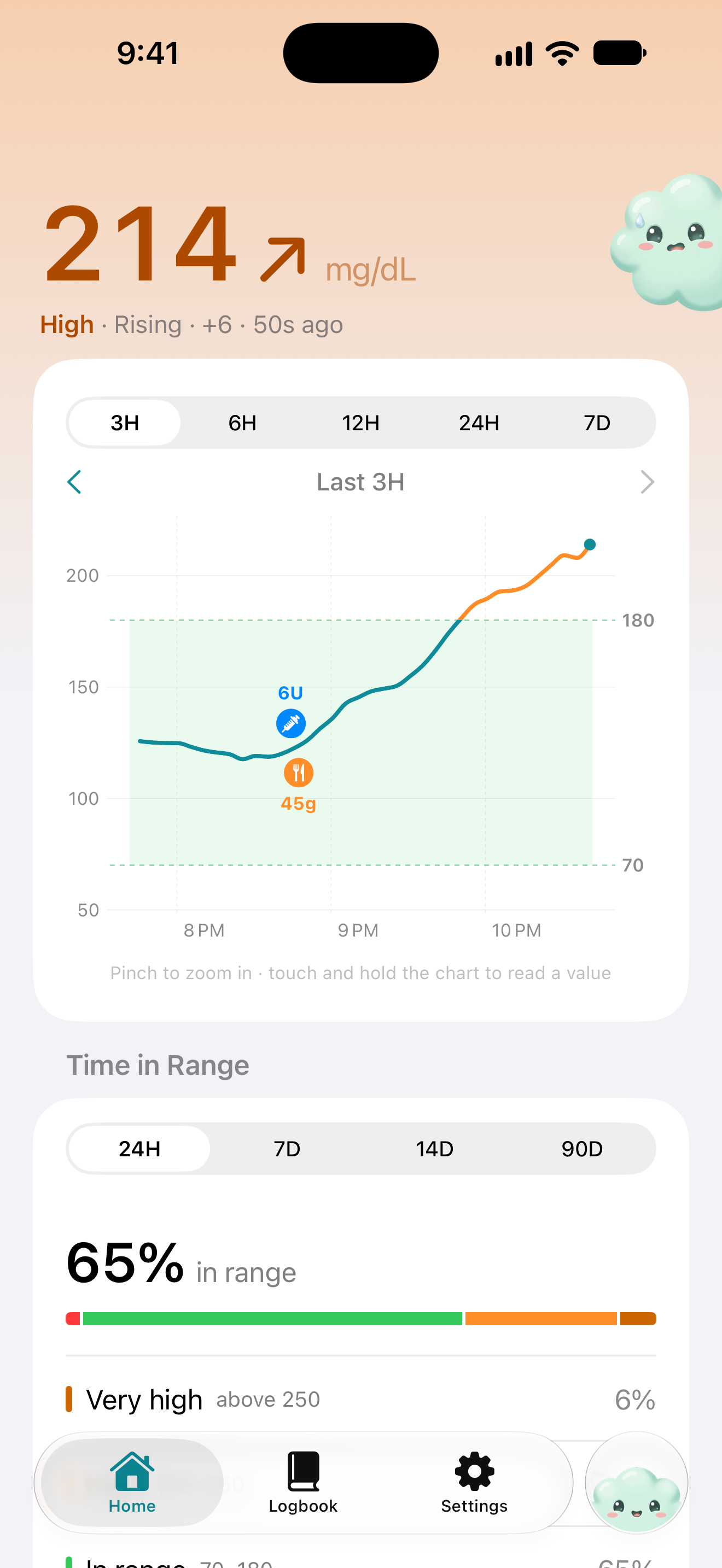
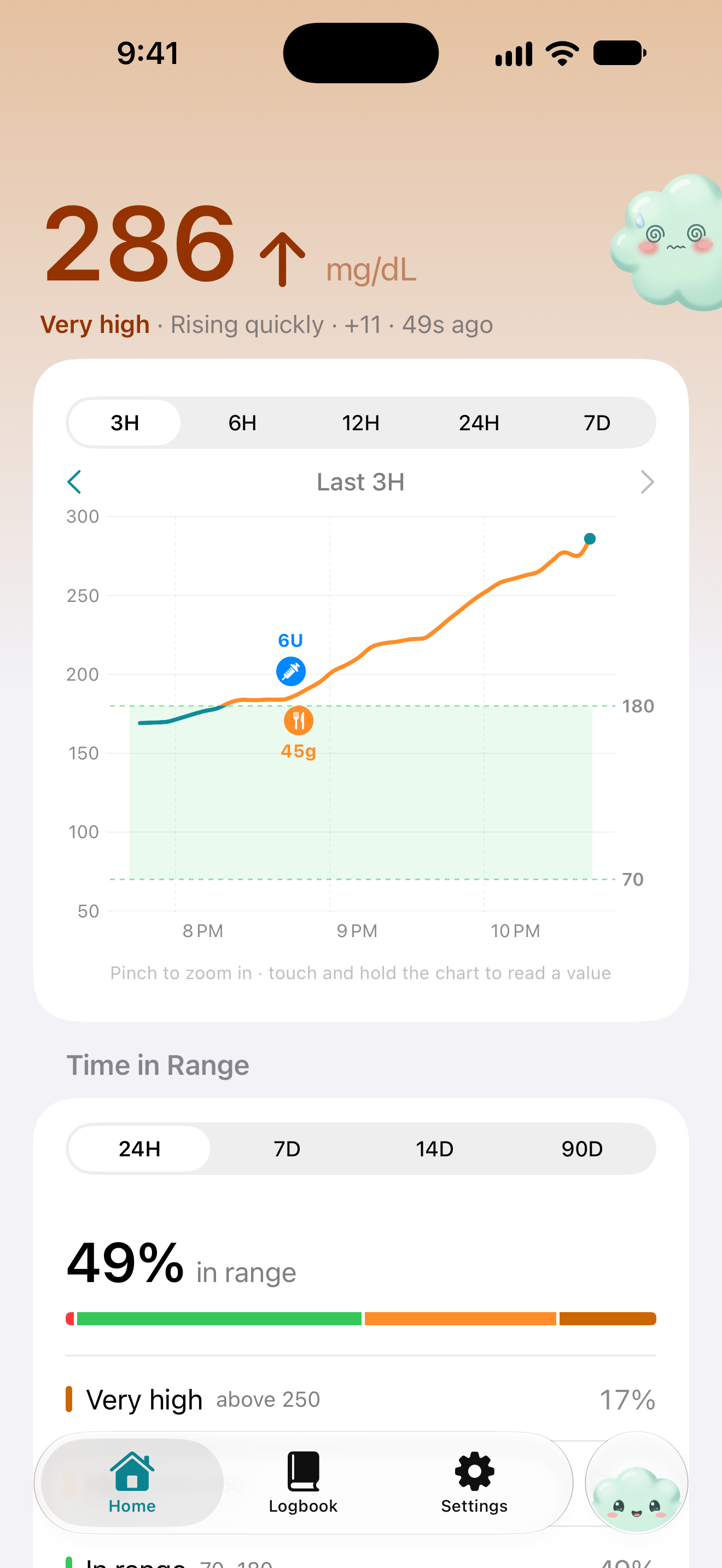
 Urgent low glucosenow48 mg/dL ↓Glucose falling fastnow64 mg/dL ↘Back in rangenow112 mg/dL →Glucose rising fastnow214 mg/dL ↗High glucosenow286 mg/dL ↑
Try a different reading
 Gluco keeps it calm while you're in range 112 → and speaks up the moment you're not 64 ↘ 214 ↗
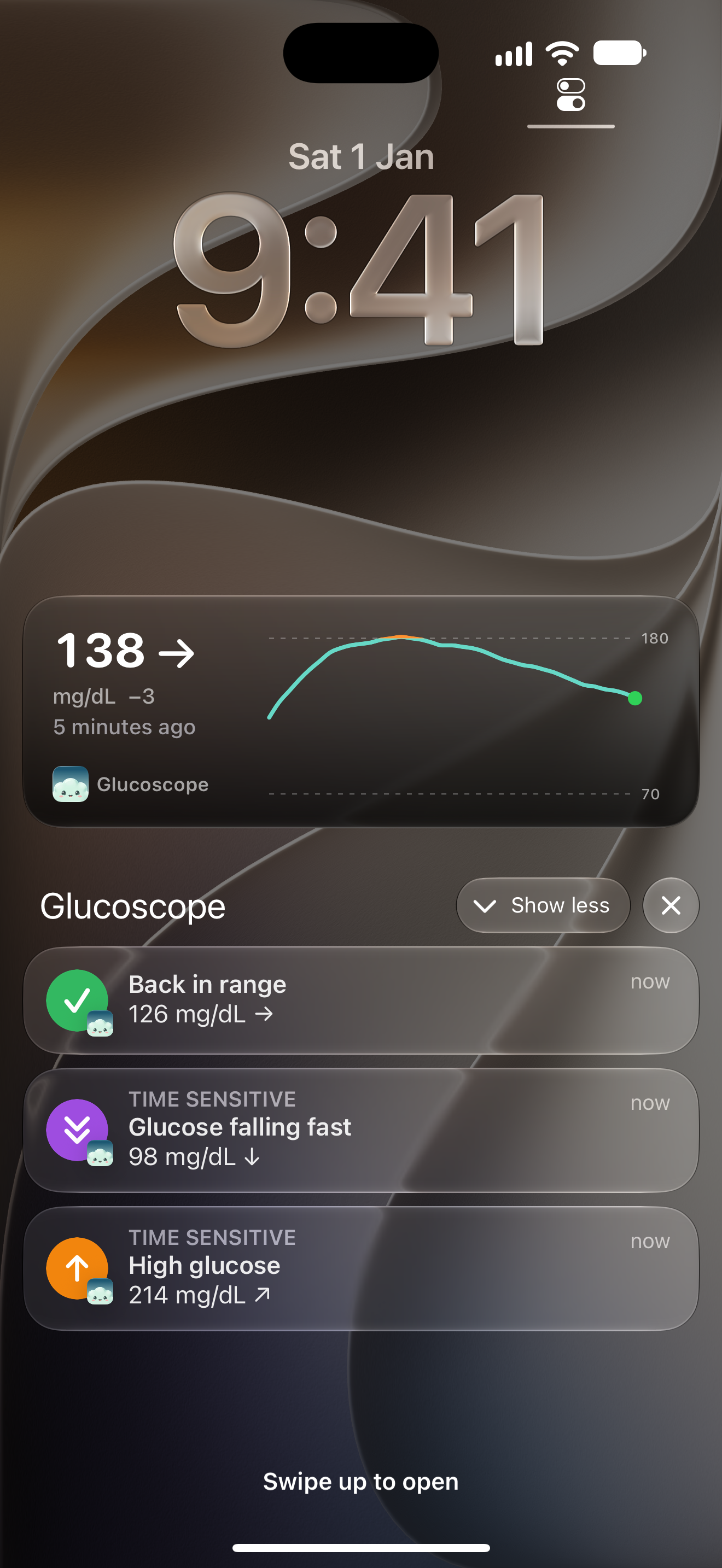
Alerts for lows, highs and fast changes.
Get told when you're running low or high, or when glucose is moving fast, so you don't have to keep checking. Every alert is saved to your logbook too.
- Urgent lowYou set the line, from 40 to 100 mg/dLFree
- No dataWhen your sensor stops sending for 20 minutesFree
- Glucose SummaryFrom Gluco, up to six times a dayFree
- HighPro
- Falling fast and rising fastPro
- Back in rangePro
- Sensor endingA day before it expiresPro
iOS doesn't guarantee background updates, so an alert can occasionally be late. Glucoscope does what it can and tells you on Home if something like Low Power Mode is getting in the way.
On the Lock Screen, Home Screen and Apple Watch.
Your glucose on the Lock Screen and in the Dynamic Island, in Home and Lock Screen widgets, and on your wrist with Apple Watch complications.
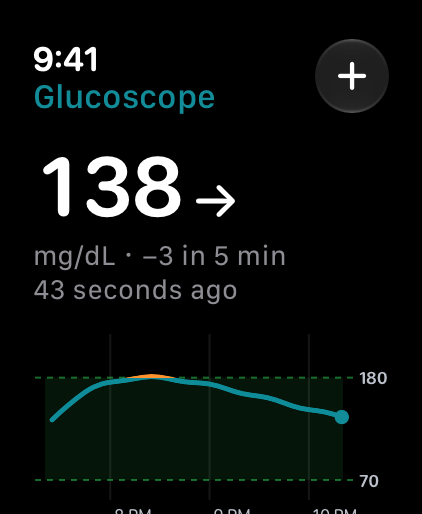
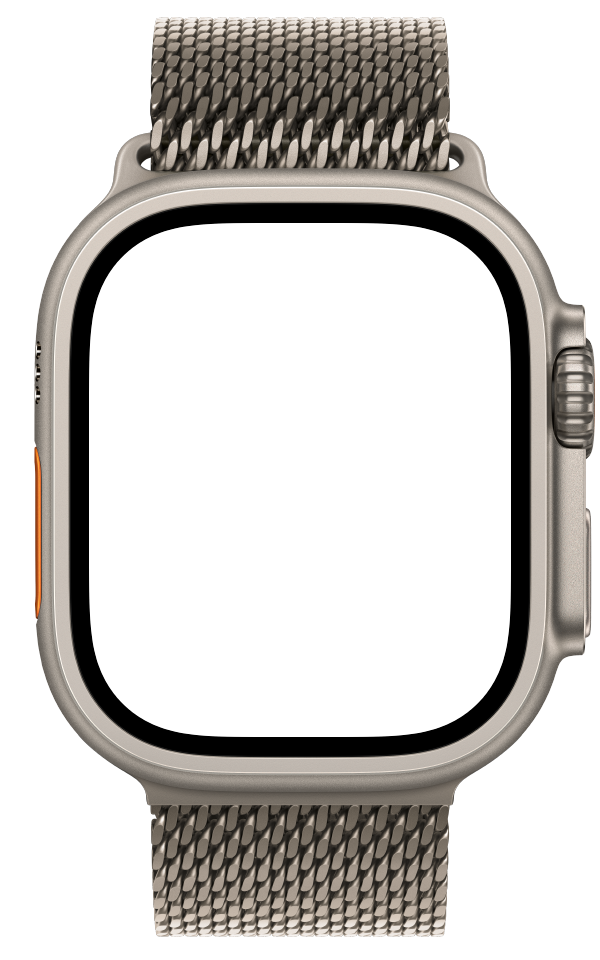
Apple Watch
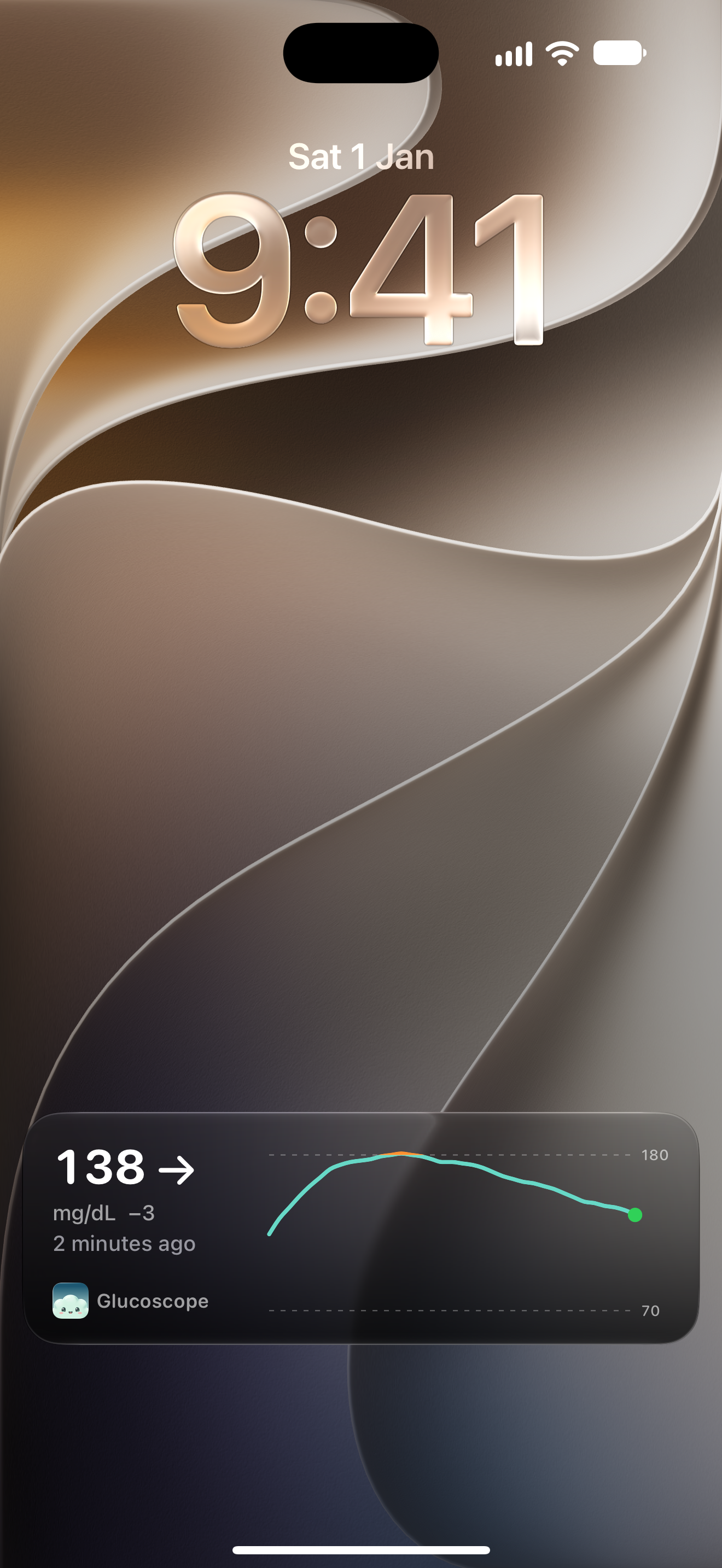
Lock Screen and Live Activity
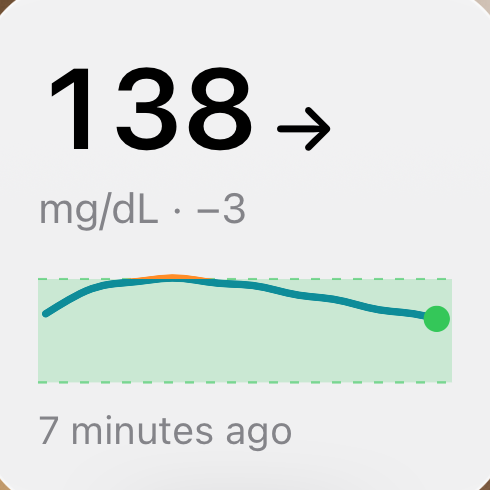
Home Screen widget
Siri and Shortcuts
“What's my glucose in Glucoscope?” Log insulin, carbs or a reading by voice, or put it on the Action button.
Lock Screen, all day
Your glucose at a glance, plus today's log, last insulin and recent entries.
On your wrist
Reading, a 3-hour chart with insulin and food, today's totals and quick logging on Apple Watch.
Works with what you already have.
Type readings in, scan a Libre sensor, or bring them in from LibreLinkUp, LibreView or Apple Health. You can use more than one; duplicate readings are merged.
- Manual entry
- Type in a finger-stick reading. Works from the first launch, with no account and no setup.
- NFC scan
- Hold your iPhone to a FreeStyle Libre, Libre 14 day or older Libre 2 sensor to bring in the last 8 hours.
- LibreLinkUp
- Live readings and sensor details through a follower account, Libre 3 included.
- LibreView
- Your history and logbook from libreview.com, or a downloaded CSV. Pro.
- Apple Health
- Read glucose other apps save to Health, and write your readings, insulin and carbs back.
Glucoscope can't read Libre 3 or newer Libre 2 sensors over NFC; use LibreLinkUp for those. FreeStyle Libre, LibreLinkUp and LibreView are trademarks of Abbott. Glucoscope is not affiliated with, endorsed by or sponsored by Abbott.
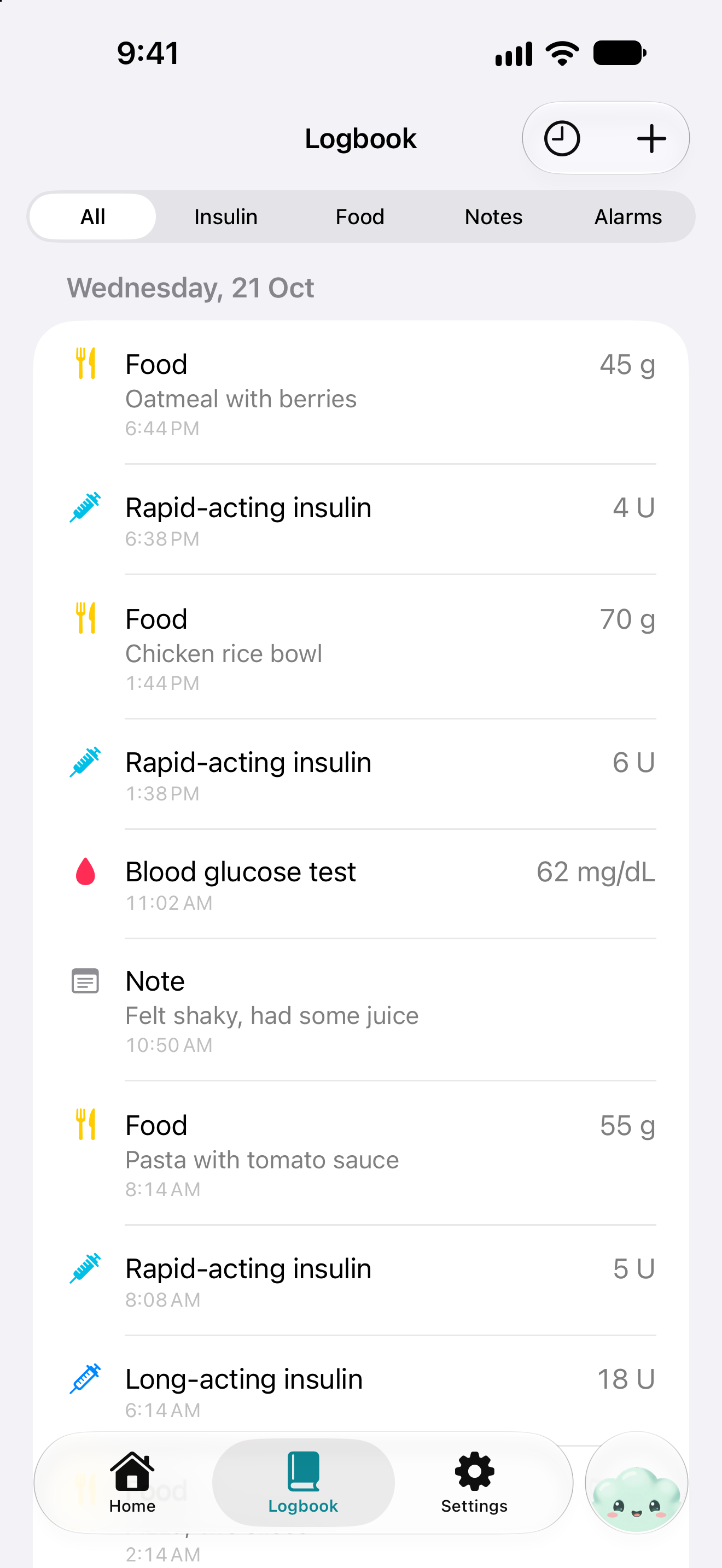
Log insulin, food and notes from the tab bar.
Tap Gluco in the tab bar to add an entry, scan a meal or start a chat. Insulin and carbs appear on your chart, and the logbook totals each day.
- Glucose
- Rapid insulin
- Long insulin
- Food
- Ketones
- Notes
mg/dL or mmol/L, and your own target range.
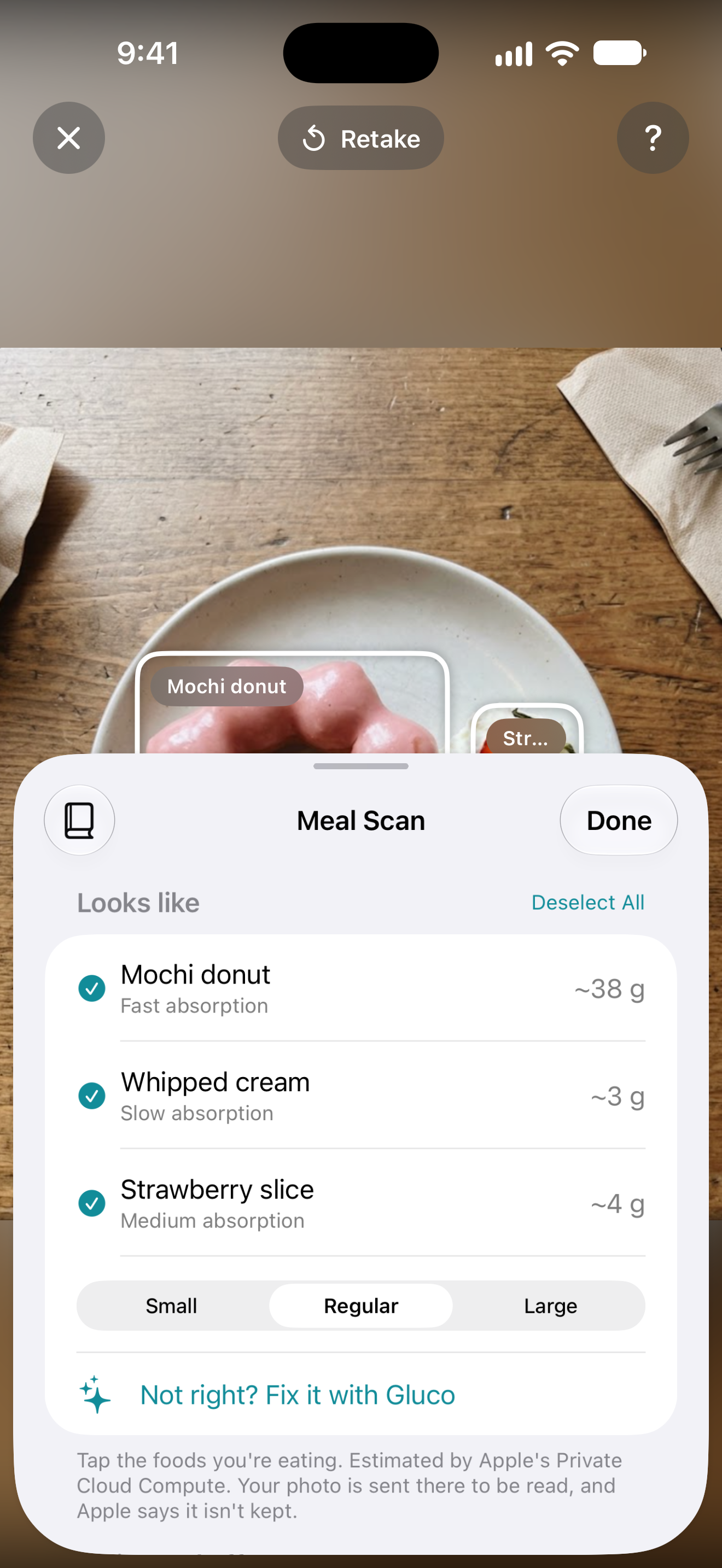
Photograph a meal to estimate its carbs.
Snap your plate and Glucoscope names the foods, estimates the carbs for your portion, and shows how the meal could move your glucose over the next three hours. One tap logs it.
- Pick what you're eating
- Untick what you're skipping, then choose small, regular or large.
- Fix it with Gluco
- Scan got something wrong? Open a chat with the photo and correct it. Pro.
- Private by design
- Your photo is analysed privately by Apple, or on your iPhone. We never see it.
- 3 scans a day, free
- Unlimited with Pro.

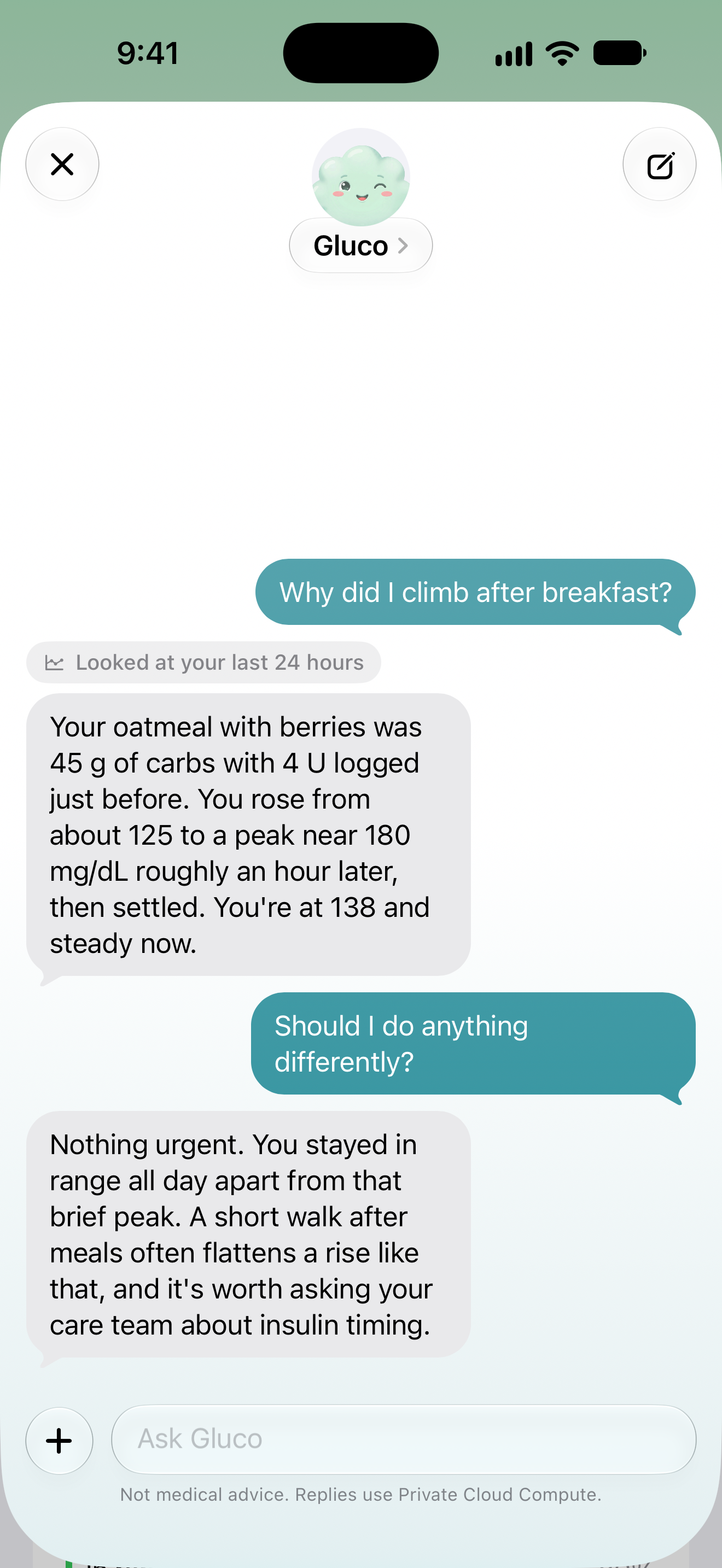
Ask Gluco about your readings.
Ask how last night went, why lunch sends you high, or whether this week beat the last one. Gluco checks your readings and logbook before it answers, so you get your own numbers back, not generic advice.
- Part of Glucoscope Pro, on iOS 27.
- Private by Apple's design. Attach up to four photos.
- Never changes your logbook on its own. You confirm anything it puts together.
- Never gives dosing advice.
Time in range, averages and patterns.
See how much of your time is spent in range, plus the numbers your care team asks about. Patterns spots the times of day your highs or lows keep coming back.
- Very low 1%
- Low 3%
- In range 81%
- High 12%
- Very high 3%
138mg/dL
Average
6.6%
GMI, an estimated A1c
31%
Variability, 36% or less is stable
Pattern found
Highs around 1 PM on weekdays
Seen on 9 of the last 14 days.
Free includes 24-hour time in range. Longer periods, the figures and Patterns are Pro.
We never see your readings.
Glucoscope has no accounts, and your readings, logbook and chats stay on your iPhone.
No account
There's nothing to sign up for. Open the app and start logging.
Kept on your iPhone
Readings, your logbook and saved chats live on the device, in your own iCloud if you turn sync on, and in Apple Health if you choose.
Photos and chats
Meal photos and chat messages go to Apple's Private Cloud Compute, which Apple says can't store or read them, or are handled on the iPhone.
No ads, and what we count
Analytics counts which screens and buttons get used. It never sees a glucose value, an insulin or food amount, or a health answer.
What's free and what's in Pro.
Logging, alerts for lows and a week of history cost nothing. Glucoscope Pro comes monthly, yearly or as a one-time lifetime purchase. The App Store shows the price in your currency.
Older data than the free window is hidden, never deleted. It comes back the moment you upgrade.
| Feature | Free | Pro |
|---|---|---|
| Manual logging, logbook, write to Apple Health | Included | Included |
| NFC, LibreLinkUp and LibreView connection | Included | Included |
| Chart | 3 and 6 hours | 3 hours to 7 days, zoom, overlays |
| Time in range | 24 hours | 7, 14 and 90 days, GMI, variability |
| Patterns | Not included | Included |
| History and logbook | Last 7 days | Everything, with filters and daily totals |
| Alerts | Urgent low, no data | Plus high, fast changes, back in range, sensor ending |
| Widgets | Small Home Screen widget | Every widget, Lock Screen and complications |
| Apple Watch | Reading and glucose logging | Chart, time in range, today's log, every entry type |
| Meal Scan | 3 a day | Unlimited |
| Live Activity | Not included | Included |
| Chat with Gluco (iOS 27) | Not included | Included |
| iCloud sync, LibreView sync and file import | Not included | Included |
Questions
Do I need a CGM?
No. Manual entry works from the first launch with nothing to set up. Add a FreeStyle Libre sensor, LibreLinkUp, LibreView or Apple Health whenever you like.
Which Libre sensors work?
Over NFC: FreeStyle Libre, Libre 14 day and older Libre 2 sensors. Libre 3 and newer Libre 2 sensors can't be scanned, but their readings come in through LibreLinkUp.
Is it a medical device?
No. Glucoscope is a personal log. Don't use it to make treatment decisions. Follow your care team's advice and confirm readings with your meter or a finger-stick test.
Will alerts always arrive?
Mostly, but iOS doesn't guarantee background updates, so one can occasionally be late. Glucoscope does what it can and shows a note on Home when something like Low Power Mode or switched-off Background App Refresh gets in the way.
Which iPhone and Apple Watch do I need?
iOS 17 or later and watchOS 10 or later. Chat with Gluco and Gluco's smart summaries need iOS 27. Meal Scan works on earlier versions too, analysing the photo on your iPhone.
mg/dL or mmol/L?
Either. Glucoscope picks one from your region and you can switch any time. Your target range is yours to set too; it starts at 70 to 180 mg/dL.
Can I get my data out, or delete it?
Readings and logbook entries can be written to Apple Health. Delete All Data in Settings removes your readings, logbook entries, saved chats and the iCloud copy.
Download Glucoscope.
Free to download for iPhone and Apple Watch. Manual tracking works from the first launch, no setup needed.